Your items got a new identity
By: Jamie Wright
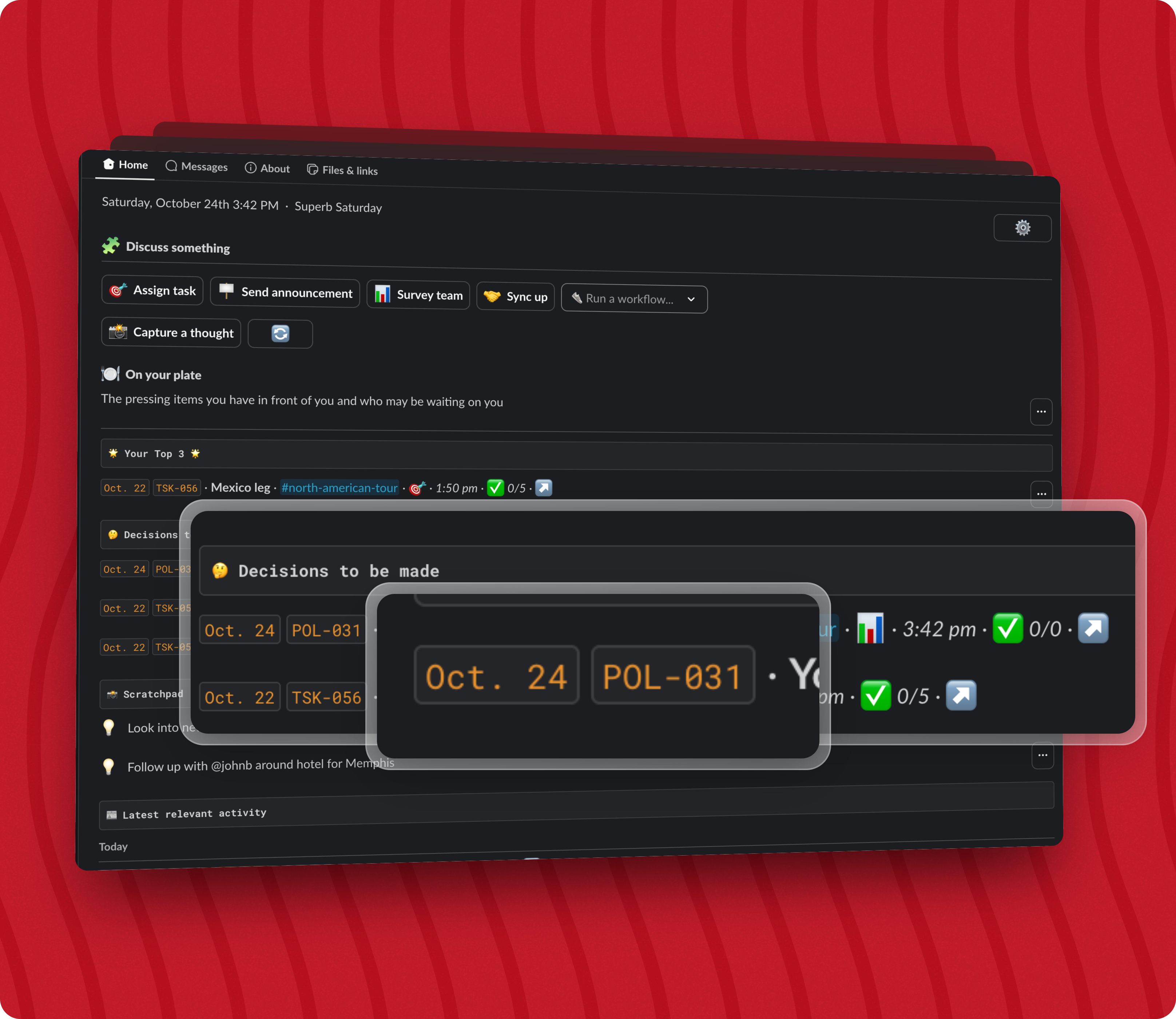
Tatsu’s tasks, polls, and other items now have unique identifiers
Whether you were in a video call or a meeting in the office, it was hard to talk about your items that were in Tatsu in real life.
Since your tasks, polls, and other items did not have easy identifiers, you were caught saying things like “the poll that I made last week” or “the task about the TPS reports”. That makes it tedious to talk about the items in Tatsu.
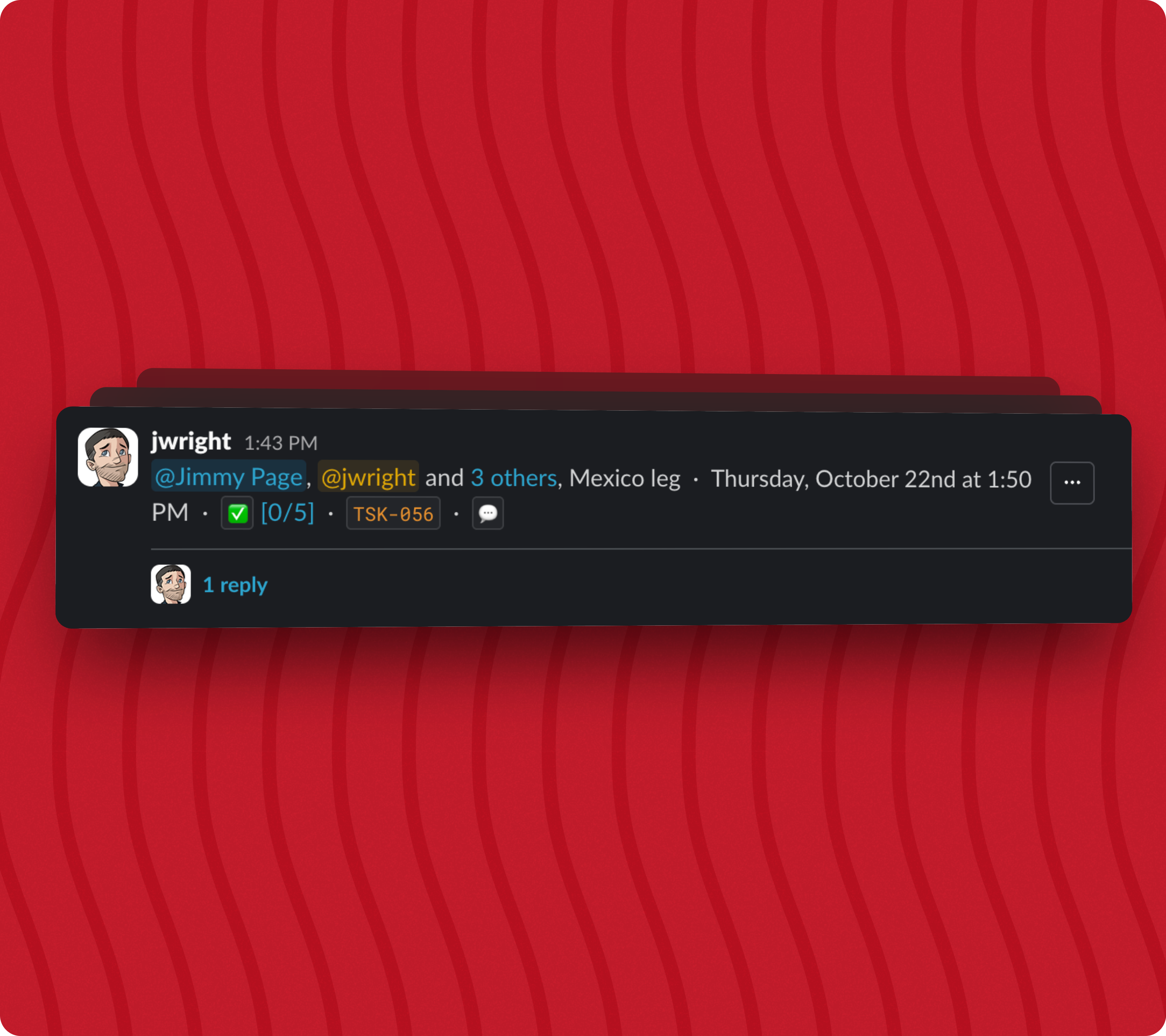
Now you can refer to your items by saying things like “sync-up 22” or “task 112”. These identifiers are displayed in all of the surfaces in Slack. They are unique across your team and you are in control of how they are identified.
👑 Your items, your way
Item identifiers are generated automatically based on the rules you set per item type. Item identifiers are made up of a prefix and a suffix, separated by a dash. e.g. TSK-031.
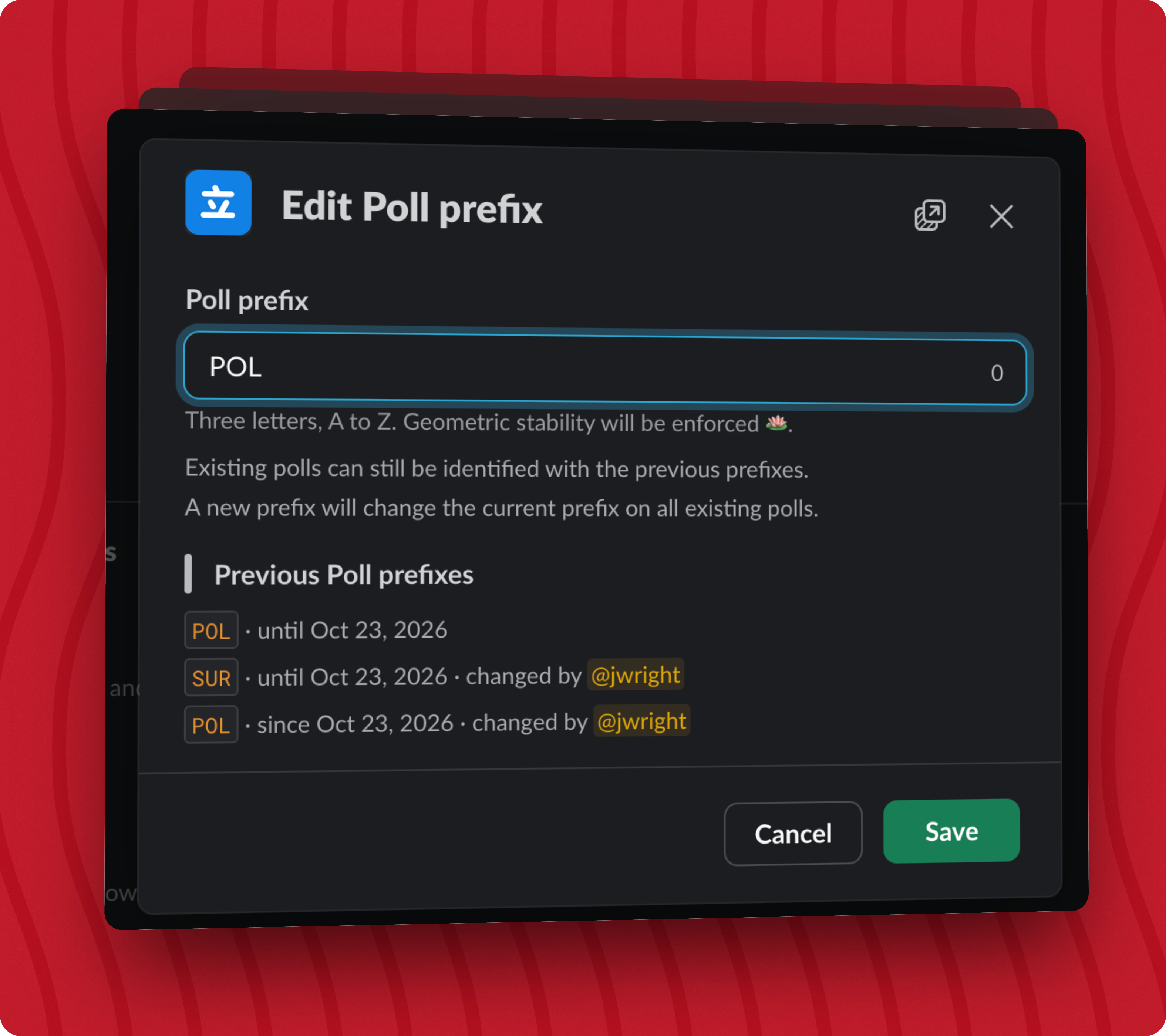
Currently, you can set the prefix for each of your item types (tasks, polls, and other items) and the suffix is a number that increments for each new item of that type. There are future plans for more rulesets to help you generate an identifier that works for you and your team.
You can change the prefix at any time and your previous identifiers will still be linked to that item for all time.
⚙️ A new Settings view
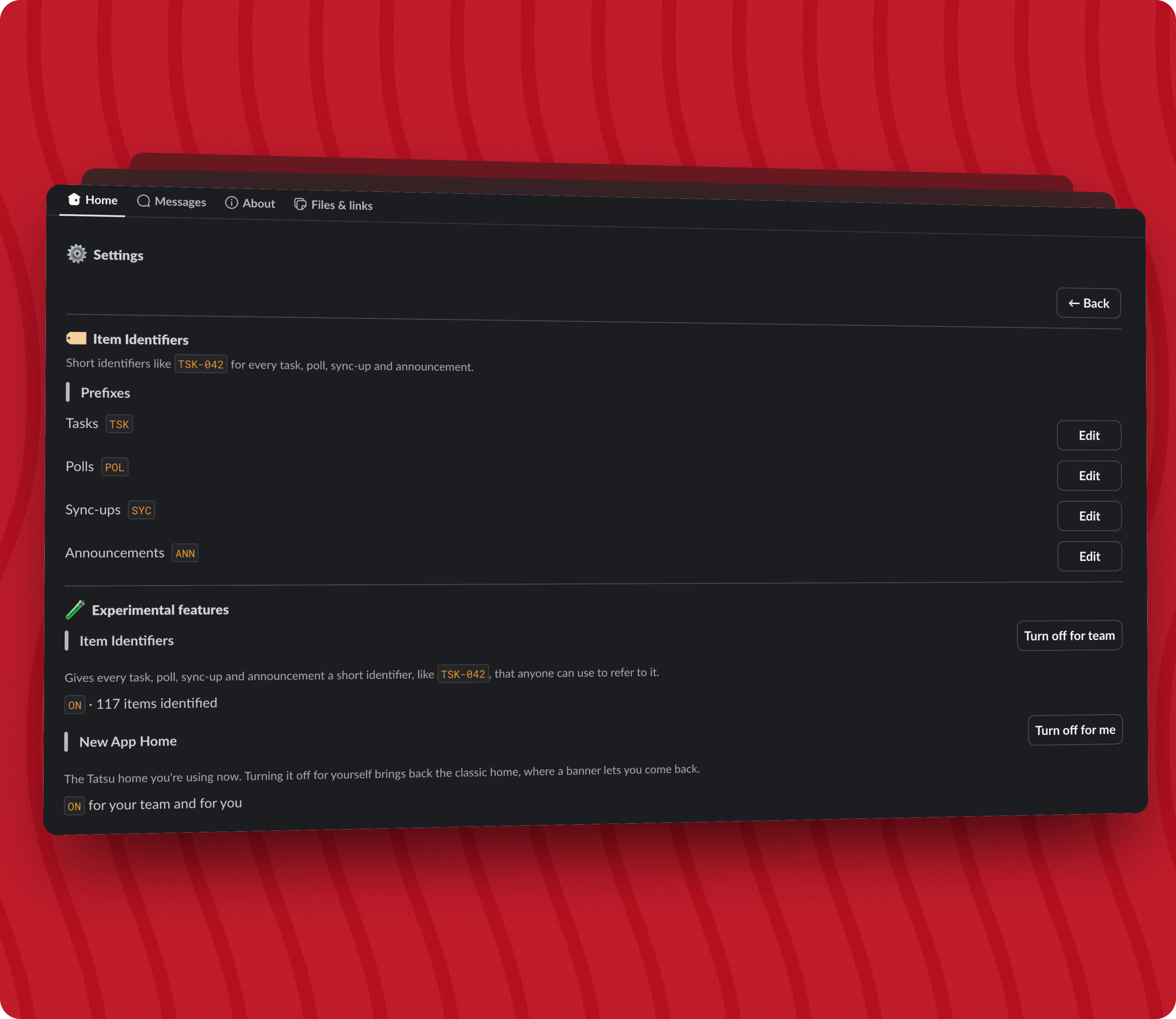
There needed to be a place to manage your item identifiers and the new Settings view is that place. You can access the Settings view from within the new Dashboard view. Tatsu now supports different pages within Slack’s Home tab.
🛋️ Turn on/off experimental features
I wanted to make it easy to turn on and off various experimental features before I launch them to the general public.
The new Settings view has a section for experimental features where you can turn on/off features that are in development or in need of feedback from the teams that are using them.
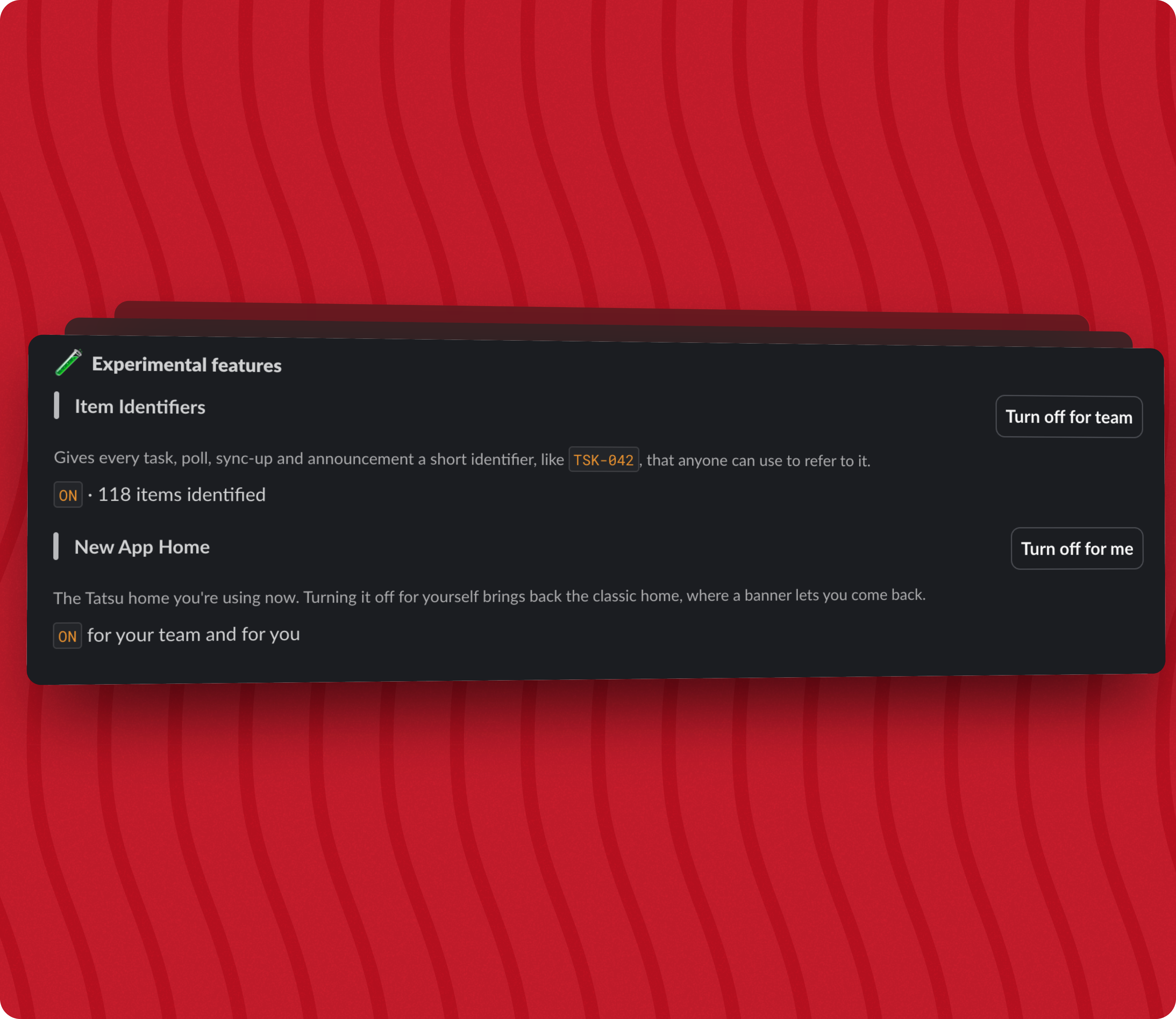
There is no Settings view in the current version of Tatsu, only on the new Dashboard view.
If you want to try out the new item identifiers, you can turn on the new Dashboard, turn on the Item Identifiers, and then optionally turn off the new Dashboard. The item identifiers will display within the message surfaces in Slack even if the new Dashboard is turned off.
If you or your team is interested in trying this out ASAP, please reach out to support@tatsu.io or use the /feedback command in Slack to let me know. I would also love to hear any feedback or fearure requests you may have.

Kill the meeting
Get more done with asynchronous discussions using the building blocks that Tatsu provides.
 Add to Slack